Production model
Understand the two authoring surfaces, the shared execution system, and the records that carry work from story intent to an editable cut.
Two places to author, one production foundation
9Miho does not force every project through one interface. Storyteller and Canvas are peer authoring rooms designed for different kinds of work.
- Choose Storyteller when story truth, causal change, character continuity, and guided directing should lead the process.
- Choose Canvas when you want to build the generation graph directly, repeat a task, create variations, or control every capability and connection.
- Move approved Takes into Cutting Room when you are ready to assemble picture and sound, inspect colour, save a cut, or prepare a handoff.
Canvas is not only an internal engine for Storyteller. It is a first-class visual production interface. For catalog-backed generation, Storyteller uses the shared graph, catalog, execution, spend, output-registration, and lineage systems through a guided story interface that does not expose generic node authoring. Guided tools such as browser camera previz share pinned Revisions, approval, and lineage without pretending every operation is a Canvas Run.
Before the first generation
Production structure and execution readiness are separate. Before choosing a paid Variant, open Settings overview, connect the intended agent backend, and create the required provider profile. Google-hosted models through your Cloud project require the separate Vertex AI ADC setup; local or remote open-model execution uses the ComfyUI and GPU setup path.
Storyteller path
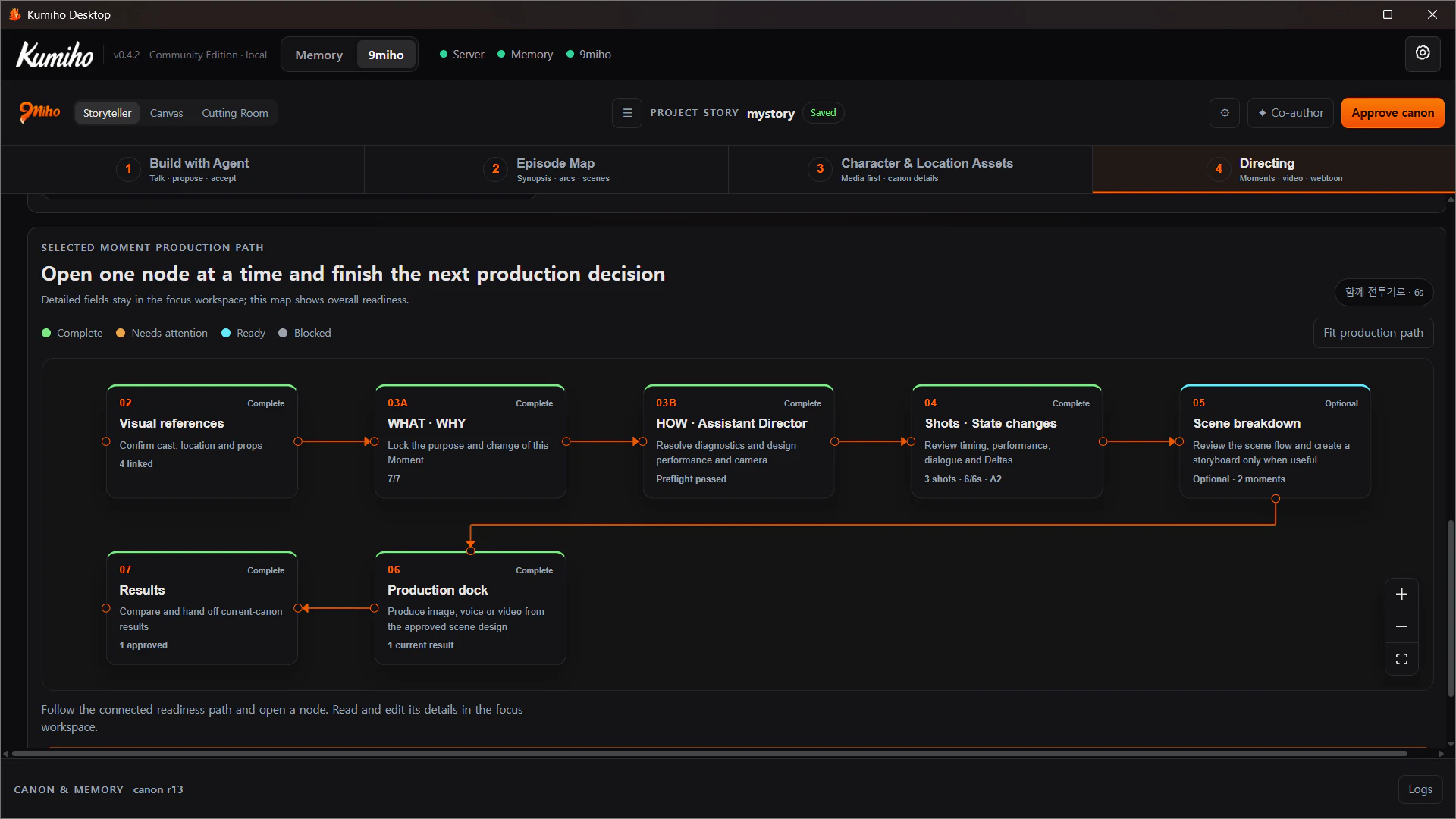
Storyteller owns the story’s WHAT and WHY: what happens, why it matters, what changes, and which facts are approved. Its purpose-built screens then turn that truth into a filmable HOW.
- Build with Agent. Describe the idea naturally. Review each structured proposal before accepting it into the Draft.
- Episode Map. Shape the Story Promise, arcs, episodes, scenes, and ordered Moments.
- Character & Location Assets. Link or generate pinned visual references for recurring identities, places, and props.
- Directing. Design the Moment’s performance, shots, camera, dialogue, sound, and state changes, then generate one approved output at a time.
For catalog-backed outputs, Storyteller automatically creates the minimum execution graph required for the selected operation. The user works with story and production concepts, while the shared system still validates the real capability, inputs, cost boundary, and resulting lineage. Camera previz remains a browser-authored Camera Plan and MP4 path rather than a hidden generation graph.
Canvas path
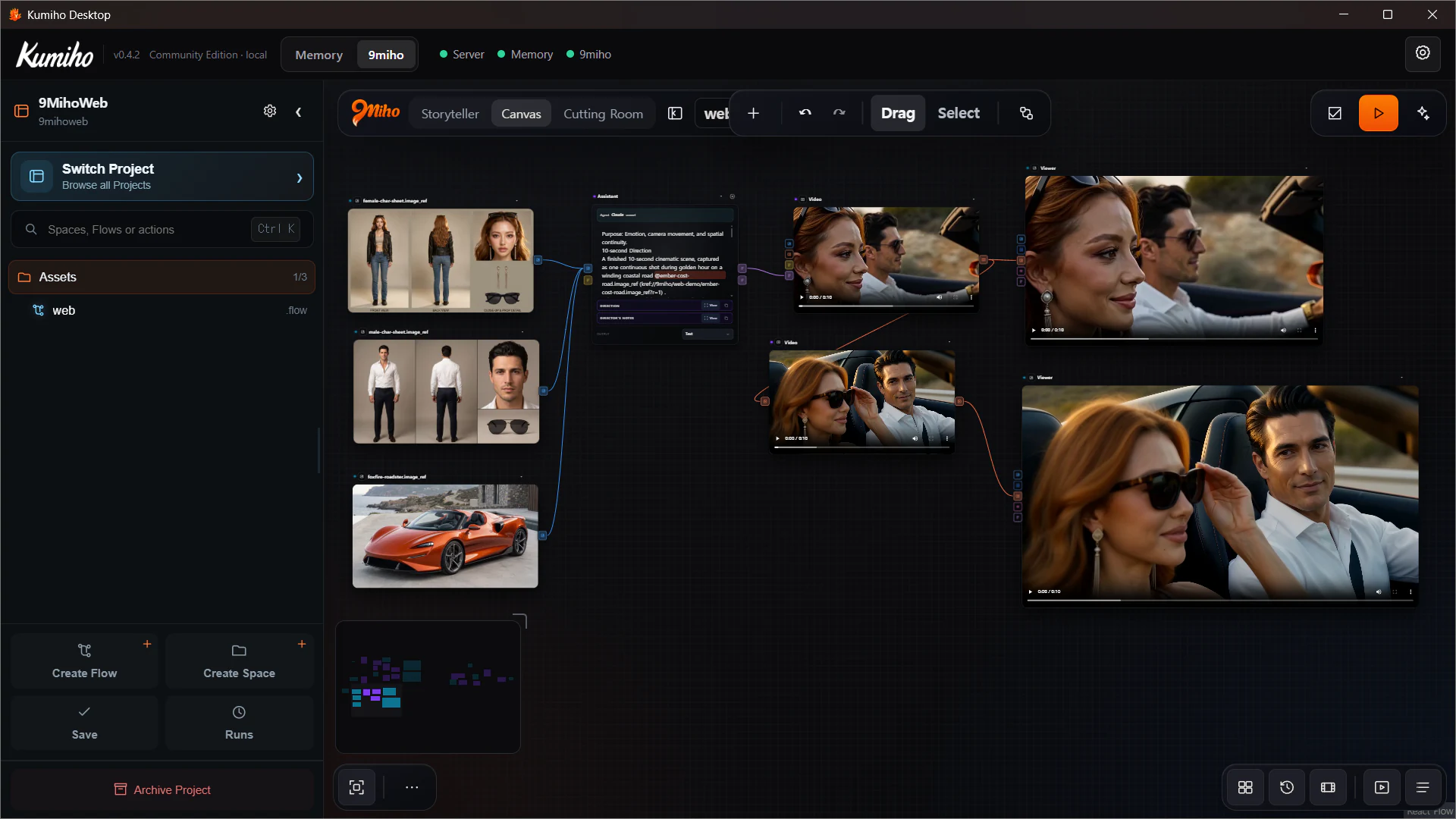
Canvas exposes the production graph directly. A Flow is made from typed nodes and connections rather than a fixed wizard.
- Open a Project, Space, and existing Flow, or start from a small template.
- Add capability, Asset, List, Assistant, and Viewer nodes.
- Select the task/model Variant and configure the controls declared by that Variant.
- Pin source revisions when repeatability matters, or deliberately follow
latestwhen freshness matters. - Connect typed ports, Validate, review spend, and Run the whole graph or Run to here.
- Compare outputs, approve the intended Takes, and reuse them from Library or History.
Canvas is the better starting point for direct graph control, reusable templates, ordered list work, model comparisons, and repeatable production tasks. It does not require the story structure used by Storyteller.
What a Take preserves
A Take is not just a downloaded media file. It is an output connected to the exact production context that created it. Depending on the workflow, that context can include:
- the pinned Asset and Revision inputs;
- the approved Canon and Moment Revision;
- the provider-neutral Direction;
- the rendered model-specific prompt and selected Variant;
- the Run and step that produced the output;
- the output Item and Revision selected for reuse.
This is why changing a source image, Canon decision, or Direction does not silently rewrite an older Take. The old result remains inspectable; new work becomes a new Revision or a new Take with its own lineage.
Cutting Room path
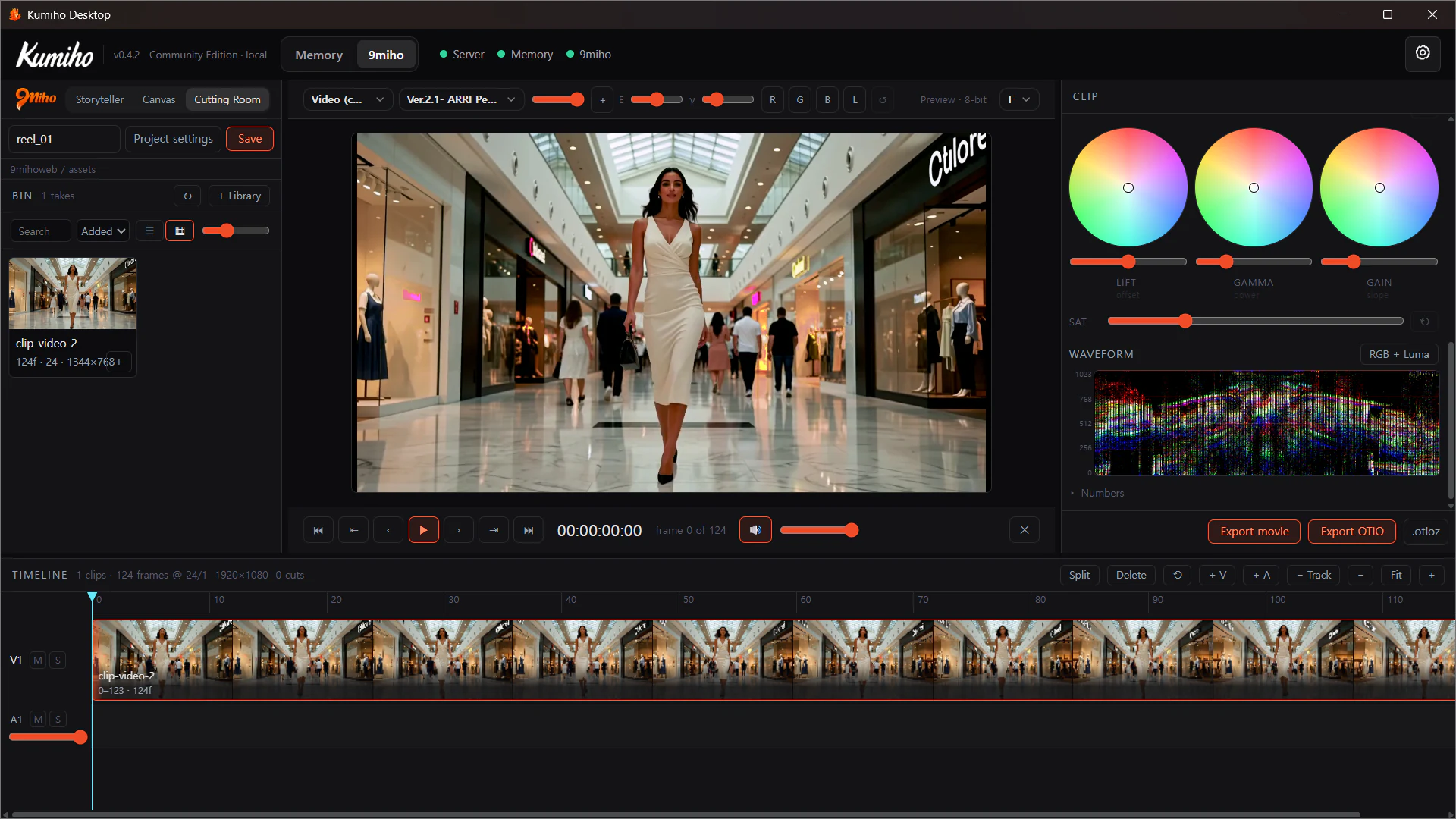
Cutting Room begins with selected video or audio artifacts, not with a flattened project export. Add Takes to the Bin, choose the exact Take Revision, and append or place them on the Timeline.
From there you can create video and audio tracks, trim and split clips, set project rate and raster, inspect source facts, review colour and scopes, save a versioned cut, export a review/master movie, or prepare an OTIO handoff package.
Cutting Room is intentionally bounded: it is a hard-cut, constant-frame-rate conform and handoff room. It does not claim to replace a full nonlinear editor, audio workstation, or final grading suite.
Choose your starting room
| If your immediate question is… | Start in… |
|---|---|
| What changes in the story, and why? | Storyteller |
| How should a character’s state evolve across Moments? | Storyteller |
| Which references, nodes, models, and settings should run? | Canvas |
| How can I repeat or vary the same production task? | Canvas |
| Which exact Takes belong in the sequence? | Cutting Room |
| How do I prepare a cut or post-production handoff? | Cutting Room |
You can move between rooms without reducing one to a hidden implementation detail. The rooms share records and execution boundaries, but each keeps its own authoring responsibility.