Canvas overview
Build and run media workflows as explicit visual graphs, with typed connections, revision-aware assets, catalog-defined models, validation, Takes, and lineage.
A first-class production room
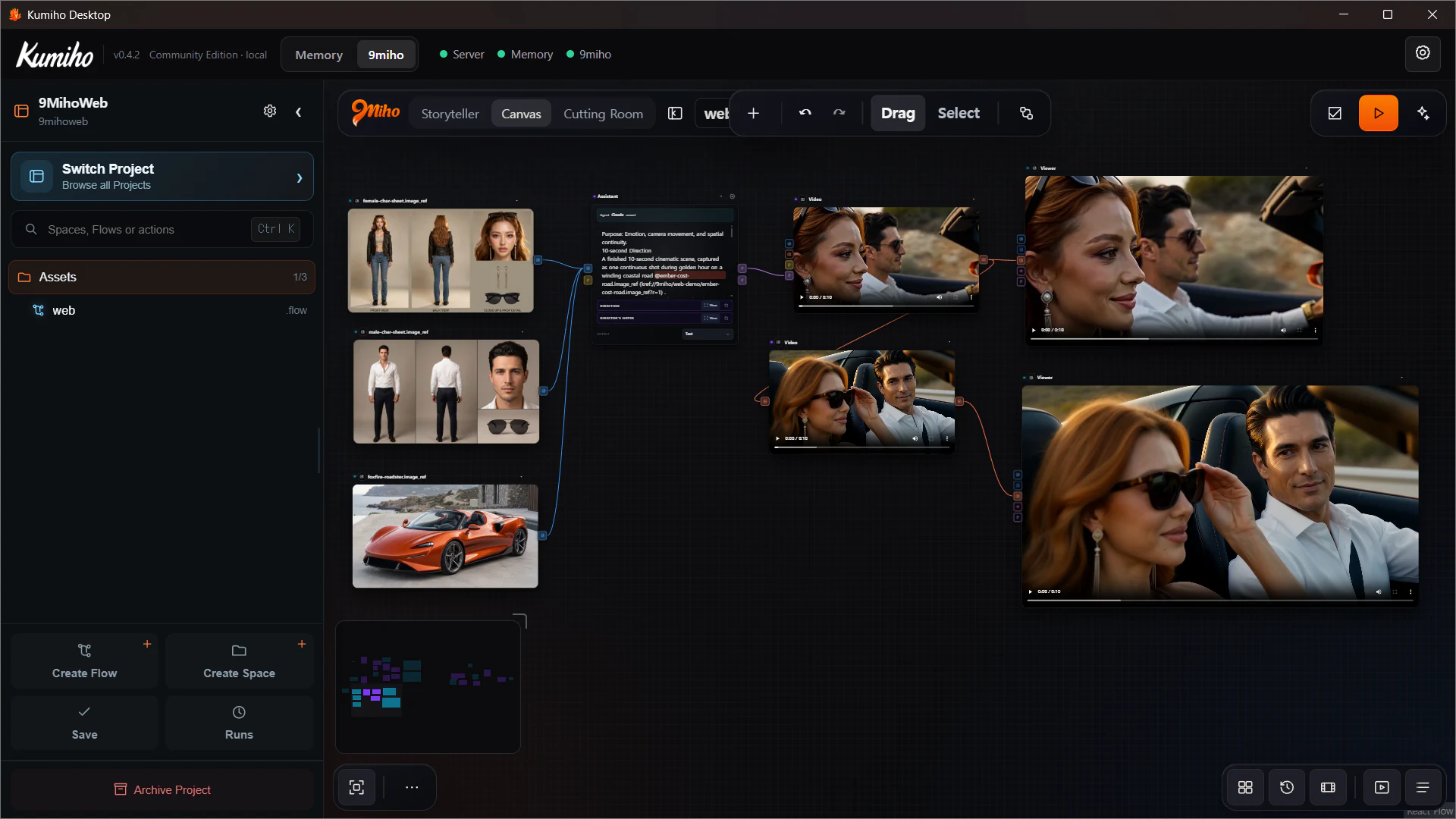
Canvas is 9Miho’s direct visual graph interface. It is built for people who want to see and control the generation workflow itself: which source Revision enters, which capability runs, which settings apply, where Direction is compiled, and which outputs continue downstream.
Canvas is one of three peer rooms in the application shell:
- Storyteller — develop Canon and direct story Moments through a guided interface;
- Canvas — build and run the media graph directly;
- Cutting Room — edit approved video and audio Takes on a Timeline.
Storyteller can use the same graph execution system without showing generic nodes. That relationship does not make Canvas an internal-only or “advanced fallback” screen. Canvas is the primary interface for graph authoring, repeatable tasks, model comparisons, variations, and production automation.
Project, Space, and Flow
Canvas work is organized by three levels:
- Project defines the creative boundary.
- Space defines the working namespace in that Project.
- Flow is the saved graph document you open, edit, validate, and run.
Use New flow to start from Blank, Text to image, Image to video, or Image edit. Starter Flows are deliberately small and resolve current catalog defaults instead of hard-coding one provider into the template.
Moving to another room does not destroy the mounted Canvas state. The room remains an ongoing authoring surface inside the same application session.
The authoring loop
The normal Canvas loop is explicit:
- Open or create a Flow.
- Add capability and data nodes.
- Select each task/model Variant and configure its declared controls.
- Add or link Asset Revisions and references.
- Connect compatible typed ports.
- Validate the materialized graph.
- Review the spend estimate and confirm any paid dispatch.
- Run, Run to here, or resume/reconnect to an existing Run.
- Inspect results in node previews, Viewer nodes, History, or Library.
- Compare and approve Takes, then reuse the exact output or send it to Cutting Room.
This is not a loose whiteboard. Nodes and connections compile into a real execution graph, and incompatible or ambiguous work is rejected before dispatch.
Catalog-driven model controls
Canvas does not maintain one giant hand-written settings panel for every model. A node starts from a general task—such as Video, Generate Image, Audio, Assistant, Inpaint, or Multi-view—then the selected Variant materializes the real contract.
That contract defines:
- input and output ports;
- reference types and capacities;
- available resolution, duration, aspect, take-count, and model controls;
- the provider/runtime profile required for execution;
- prompt or Direction compatibility;
- price metadata where known.
Changing the Variant can therefore change the visible node interface. Canvas keeps retired connected handles in a repair state until their wires are removed rather than silently deleting or reinterpreting an old connection.
The compatible execution identity comes from Provider profiles and API keys. Configure Google Vertex credentials or a ComfyUI surface in Settings before treating a catalog Variant as runnable.
Media-first graph semantics
Canvas works with typed media rather than treating every edge as an unstructured string. Current graph types include image, image set, video, audio, prompt, text, and number.
Asset inputs can follow latest or pin an exact rN. References carried into Assistant and Direction tasks retain their pinned Krefs. Outputs become registered assets with identity, Revision, and lineage rather than anonymous temporary URLs.
This makes a repeated Flow answer two different production needs:
- follow
latestwhen you intentionally want the newest approved source; - pin an exact Revision when you need the same identity and evidence to reproduce or compare a result.
Agent panel and Assistant node
Canvas contains two different agent surfaces:
- The Agent side panel can inspect the catalog and current Flow, propose graph edits, validate, and save the Flow. It can propose a run, but it cannot authorize spending.
- An Assistant node is an executable node inside the graph. It performs a specific task such as Analyze image or Write a direction using the configured agent model.
Do not use the names interchangeably. The Agent coauthors the graph; the Assistant participates in the graph’s execution.
Connect the backend and choose its model under Agent backends and models. Agent readiness remains separate from the provider profile that authorizes a generation.
Built for control without node-system ceremony
Canvas keeps explicit nodes and wires but avoids requiring users to design a low-level diffusion implementation for every task. The catalog exposes product-level capabilities, while quick-add, compatible-port filtering, starter Flows, typed validation, previews, Asset nodes, and readable Direction inspection reduce graph ceremony.
It is intentionally different from a system where users must assemble every sampler, tensor conversion, or hardware-specific detail before making one shot. The graph remains inspectable and reusable, but the node contract is expressed at the level of media production.